

When someone wants to send you crypto, they'll need your wallet address. This address is unique to your WalletTwo account and works just like a bank account number, it tells the network where to send the funds. Here’s how you can locate it.
1. From Your Dashboard
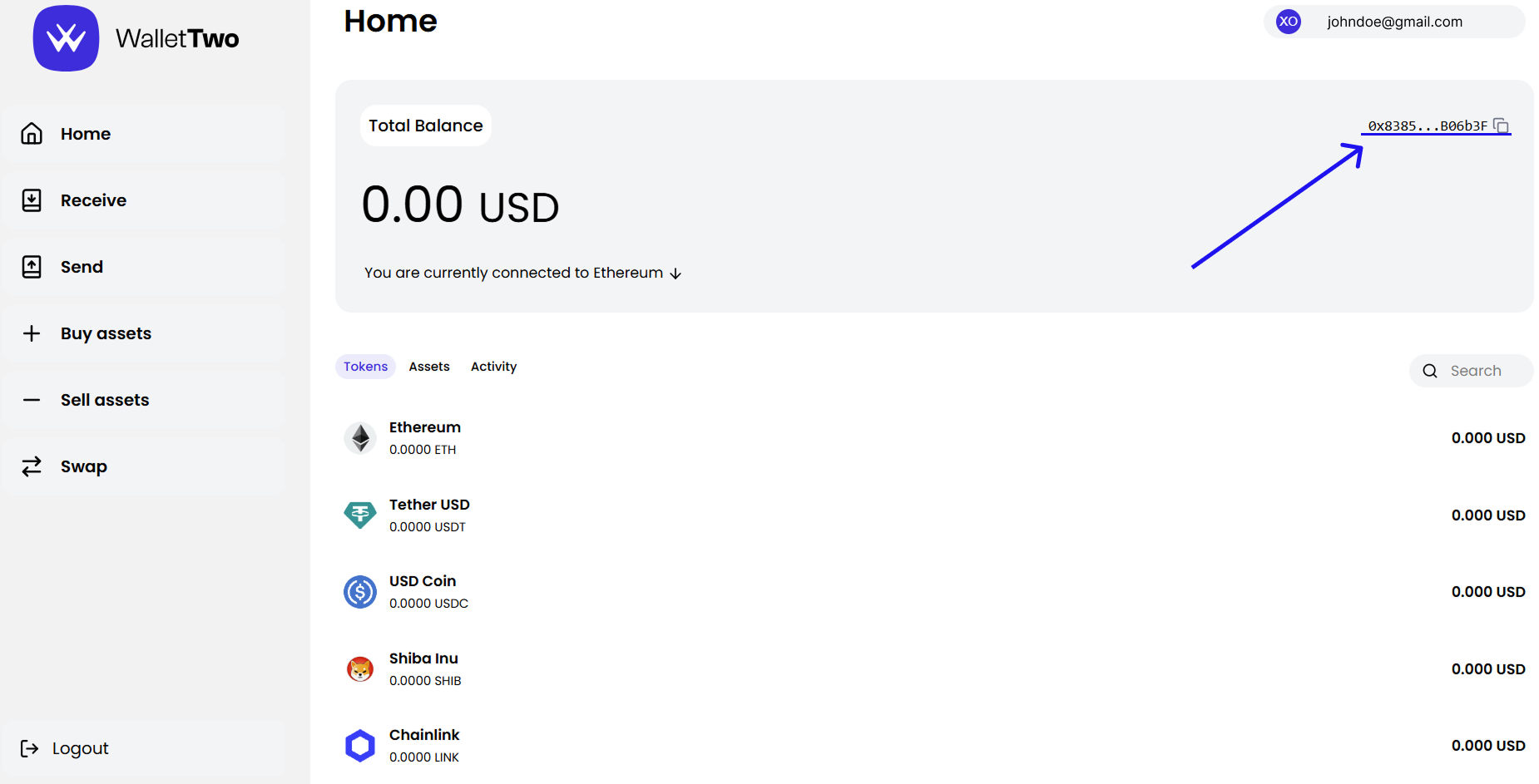
Once you're logged in, you’ll see your wallet address displayed in the top-right corner of the screen. It begins with 0x and is shown in a shortened format (e.g., 0x35AC...8C71E6).
Click the copy icon next to the address to copy your full wallet address to your clipboard.
2. From the “Receive” Button
For a more detailed view, including a QR code:
- Click "Receive" on the left-hand menu.
- A pop-up will appear showing:
- Your full wallet address
- A QR code you can scan to share your address easily
- The currently selected network (e.g., Ethereum, Base)
.png)
This is useful if you want to deposit funds or share your address quickly with someone in person or via messaging apps.
Things to Remember
- Make sure the network matches when receiving tokens. For example, only send Ethereum-based assets if your selected network is Ethereum.
- Always double-check the wallet address before sending or receiving funds to avoid mistakes.


